✎
Annotate PDFs and drawings
Pen, highlighter, arrows, scaled dimensions, stamps, sticky notes and a library of technical symbols.
Annotate documents and drawings together, each person in their own colour. Decisions, actions and questions flow automatically into minutes that are ready to send.
Windows 10 / 11 · works offline · no credit card for the trial
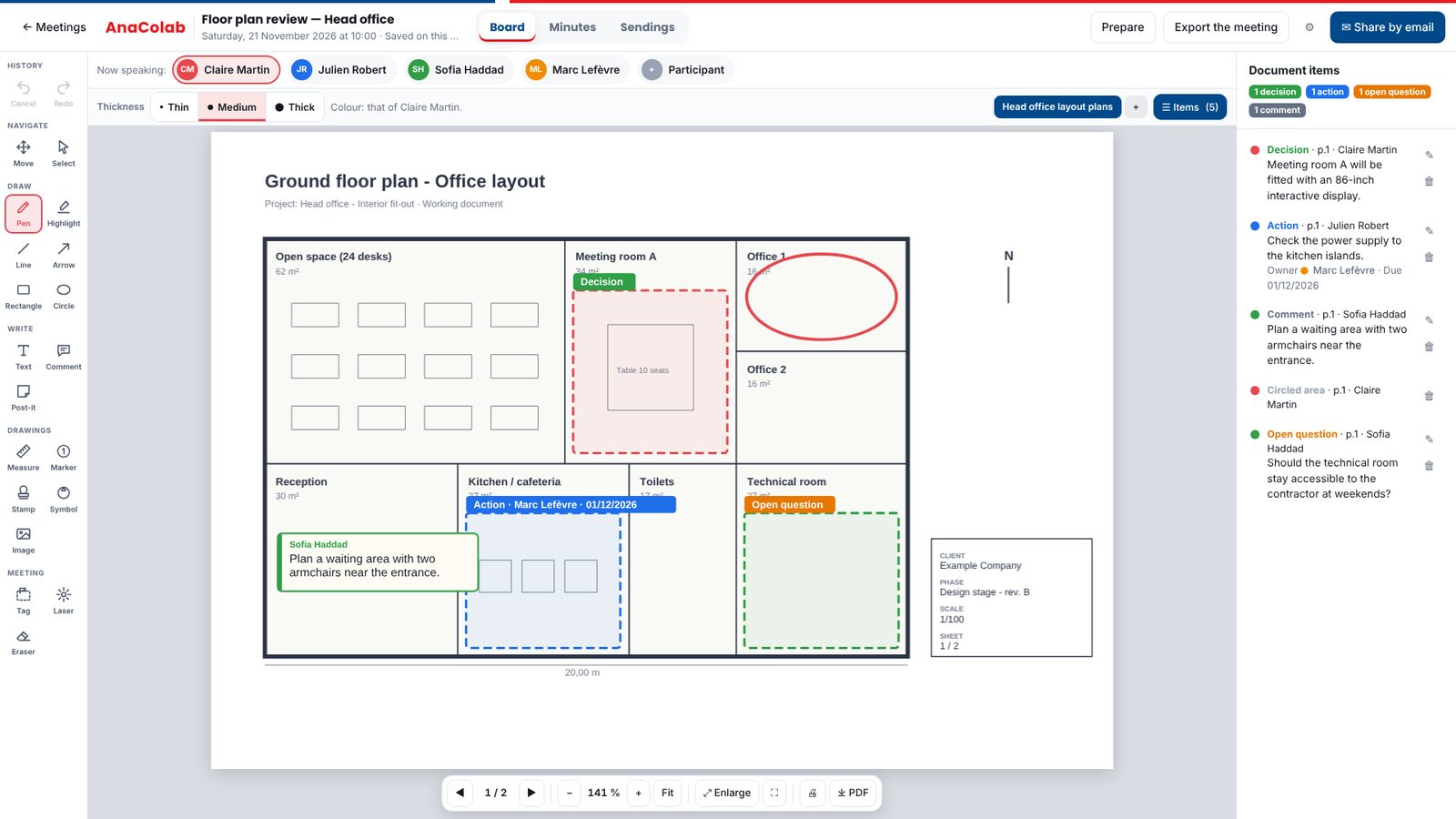
Pen, highlighter, arrows, scaled dimensions, stamps, sticky notes and a library of technical symbols.
Plain white, squared, ruled or green board: start from a blank page, just like at school.
Decisions, actions (owner, due date) and open questions are captured with an extract of the drawing. PDF export and printing.
Everyone writes in turn in their own colour: you always know who suggested what.
Share the minutes and annotated copies by email, from each person's work address (Microsoft 365 optional).
Internal, Restricted and Confidential levels, watermarks, data stored on the device. Suited to sensitive sites.
French, English, German and Spanish, selectable in the settings.
The application is installed on the PC connected to the screen. Nothing goes online without your consent.
Recommended setup: A 55 to 86-inch touchscreen (or a regular screen) connected to a Windows 10/11 PC with 8 GB of memory. Also runs on a laptop.
Price per screen (seat). Excluding taxes; any VAT is calculated at checkout.
All features for 14 days, no commitment.
DownloadSecure payment by Stripe · card, SEPA where available · automatic invoice
You receive your licence key by email and on the confirmation page. Paste it into the application's activation screen: done, no Internet connection needed.
No. The application works fully offline. Internet is only needed to send emails.
On the board's PC only. You can export each meeting to a backup file.
As long as the subscription is paid, a new key is sent to you at each renewal. If you cancel, the key remains valid until the end of the paid period.
Yes: install the application on the new PC and enter the same key. Export your meetings to bring them along.
Yes, on quotation: installation, Microsoft 365 setup, training. Write to us at support@anacolab.com.